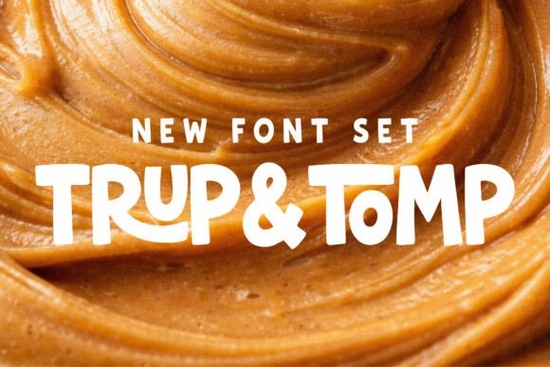
If you're looking for a friendly, expressive font pair that works well across both digital and print especially for projects with warmth, energy, or childlike charm you’ll likely enjoy Trup & Tomp Font. It’s not just another display font combo. It’s two carefully balanced styles: one bold and hand-drawn, the other smooth and script-like designed to complement each other without competing.
What makes Trup & Tomp different from other font duos?
Most font pairs lean heavily into contrast thin vs. thick, serif vs. sans but Trup & Tomp adds something quieter but just as important: personality harmony. The display sans feels like it was sketched with a chunky marker rounded, slightly uneven, full of breathing room. The script flows naturally, with gentle pressure variation and open letterforms that never feel cramped or overly formal. Neither one shouts; they both invite.
This balance helps them hold up in real-world use: on a tote bag where ink spreads slightly, in Instagram Stories where legibility matters at small sizes, or on a kids’ birthday invitation where playfulness shouldn’t come at the cost of readability. You won’t need extra kerning tweaks or manual spacing fixes just to make them look right together.
Where does this duo actually work best?
Think about the kinds of projects where tone matters as much as text:
- Branding for small businesses especially cafes, toy shops, or handmade goods studios that want approachable, human-scaled typography
- Social media graphics, especially Reels or Pinterest pins where a headline needs to land fast and feel warm
- Print-on-demand products like mugs, stickers, or greeting cards where script + bold sans creates visual rhythm without overcrowding
- Children’s illustrations or activity sheets, where fonts shouldn’t feel too rigid or too fussy
- Modern lifestyle branding think wellness journals, planner covers, or subscription box labels
You can use either font alone if needed. The script stands confidently on its own for quotes or short phrases. The sans holds weight in headlines even at smaller sizes than many display fonts allow. But pairing them (e.g., “Summer Sale” in the sans, followed by “hand-picked just for you” in the script) gives your layout instant depth and voice.
How does it compare to similar fonts on Creative Fabrica?
If you’ve used School Varsity Font, you’ll notice Trup & Tomp trades athletic energy for soft confidence. It’s less “cheer squad,” more “neighborhood mural.”
Compared to Retro Magic Font, Trup & Tomp avoids vintage clichés it doesn’t rely on halftones, distressed edges, or exaggerated serifs. Its charm is in restraint, not decoration.
It shares some friendliness with Happy Brush Font, but Trup & Tomp’s script is more consistent in stroke width and spacing making it easier to align and scale predictably. And unlike Good Vibes Only Duo Font, it doesn’t lean into cursive flourishes that can blur at small sizes or on low-res screens.
And while Dirty Strong Font delivers raw, gritty impact, Trup & Tomp opts for warmth over edge ideal when your brand values kindness, care, or calm energy.
Practical tips before you download
Trup & Tomp includes standard Latin characters, numbers, and basic punctuation no extended language support or stylistic alternates. That keeps file size light and installation simple, especially if you’re using it across multiple devices or sharing files with clients or printers.
It’s compatible with Canva, Adobe Creative Cloud apps, Cricut Design Space, and most desktop design tools. No special install steps just unzip, install the two .OTF files, and start testing combinations in your layout.
For best results: try setting the sans at 48–60pt for posters or web banners, and the script at 36–42pt underneath. Avoid pairing it with ultra-thin or geometric sans fonts they’ll clash in tone, not just style.
Looking for inspiration? Check out how Trup & Tomp Font is used in real projects by other designers especially those focused on education materials, baby announcements, or small-batch product labels.
Before you add it to your cart:
- Test both fonts side-by-side in your actual project file not just in a preview window
- Try exporting a small PNG at 72dpi (for web) and 300dpi (for print) to check how the script renders at different resolutions
- If you plan to use it commercially (e.g., on POD items), double-check the license Creative Fabrica’s standard commercial license covers unlimited end products, no attribution required
- Keep a backup copy of the OTF files outside your design software font managers sometimes lose track after updates
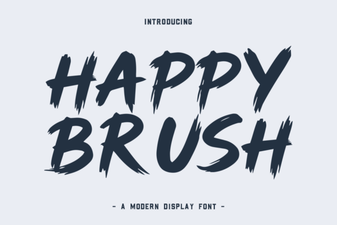 Happy Brush Font: Design Playfulness & Creative Uses
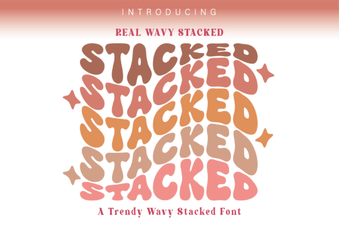 Real Wavy Stacked Font Ideas for Creative Projects
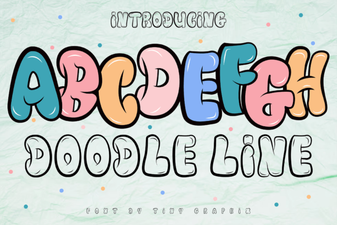 Creative Doodle Line Fonts for Diy Projects
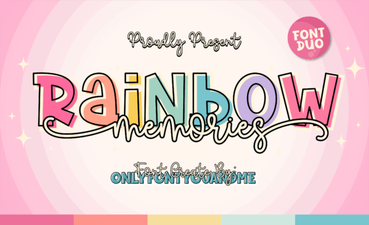 Rainbow Memories: a Font for Creative Projects
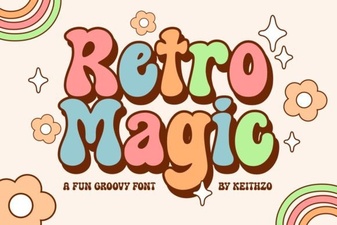 Retro Magic Fonts: Design Ideas & Creative Uses
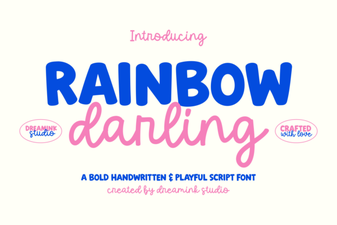 Rainbow Darling Duo: a Creative Font Pairing Guide