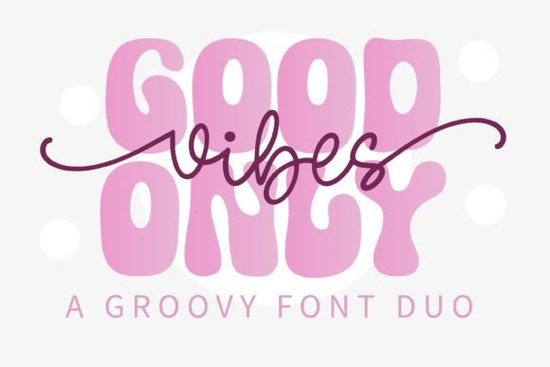
If you're looking for a relaxed, retro-inspired font that works well for handmade signs, festival merch, or boho-themed printables, the Good Vibes Only Duo Font is worth checking out. It’s not just one font it’s a coordinated pair: a flowing script and a clean monoline display font designed to work together seamlessly. That makes it especially useful if you’re layering text in Canva, Adobe Illustrator, or Cricut Design Space without needing to manually adjust spacing or weight balance.
What makes this duo font different from other script fonts?
Most script fonts come solo or with basic alternates but Good Vibes Only Duo Font gives you two distinct yet harmonious styles in one package. The script has subtle bounce and rhythm (think 70s album covers or vintage surf shop signage), while the monoline companion offers crisp readability for subtitles, tags, or product names. Neither feels overly ornate or hard to read at small sizes something that matters whether you’re printing on tote bags or listing on Etsy.
You’ll find it fits naturally alongside other popular display fonts like Rainbow Darling Duo Font, which shares a playful, layered energy but leans more candy-colored and whimsical. If you prefer something with stronger vertical rhythm, Real Wavy Stacked Font offers a stacked layout option that’s great for social media banners or mugs. For contrast, try pairing Good Vibes Only with School Varsity Font for a retro-sporty twist ideal for festival team shirts or craft fair booth signs.
Where does this font work best?
Because of its laid-back personality, Good Vibes Only Duo Font shines in contexts where authenticity and warmth matter more than polish:
- Handmade greeting cards and wedding stationery (especially for outdoor or destination weddings)
- Festival posters, band merch, and yoga studio branding
- Print-on-demand designs for t-shirts, stickers, and enamel pins
- Digital planners or printable journals with a boho or wellness theme
- Social media graphics for small businesses focused on self-care, herbalism, or slow living
It’s less suited for formal reports, legal documents, or anything requiring strict legibility at tiny sizes but that’s by design. This isn’t a utility font. It’s a mood-setter. Think of it like choosing the right background music: you wouldn’t play disco at a meditation retreat, and you wouldn’t use a stiff serif for a tie-dye workshop flyer.
How easy is it to use?
Yes it includes standard OpenType features (like ligatures and stylistic alternates) and works in most design tools without extra setup. You’ll get both OTF and TTF files, plus a PDF guide showing how to access alternate characters in apps like Silhouette Studio or Procreate. No coding or font managers needed. If you’ve used fonts like Bold Kids Font or Trup Tomp Font, the workflow is similar: install, select, and go.
One practical note: because the script version has variable stroke width, avoid scaling it down below ~24pt in digital mockups or ~16pt in print unless you’re using the monoline version instead. The duo setup helps here you can switch to the cleaner font for smaller text without breaking visual continuity.
Who’s already using fonts like this?
We’ve seen crafters use Good Vibes Only Duo Font for “Good Vibes Only” wall decals (unsurprisingly), but also for unexpected uses like labeling homemade kombucha bottles, designing reusable produce bag tags, or even embroidering onto denim jackets. Small yoga studios have paired it with simple line art for class schedule posters. Print-on-demand sellers report strong engagement on Instagram posts featuring this font in pastel gradients or sun-bleached textures.
It’s not about chasing trends. It’s about finding a voice that matches your audience’s values casual, inclusive, grounded. That’s why it pairs well with earthy color palettes, natural paper textures, and hand-drawn icons rather than sharp geometric layouts or high-gloss effects.
Before you download or license:
- Check the included license most Creative Fabrica fonts allow commercial use, including POD, but always verify usage rights for your specific project
- Test both fonts side-by-side in your actual design tool not just in preview mode to confirm spacing and weight harmony
- Try setting a short phrase in the script, then retype the same phrase in the monoline version underneath it often reads clearer than trying to make the script do double duty
- Save a version of your file with outlines (especially if sending to a printer) to avoid font substitution issues
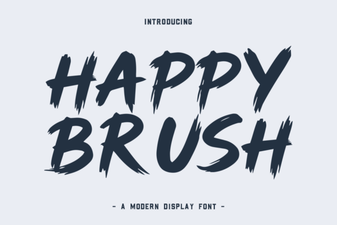 Happy Brush Font: Design Playfulness & Creative Uses
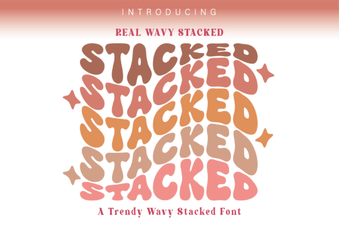 Real Wavy Stacked Font Ideas for Creative Projects
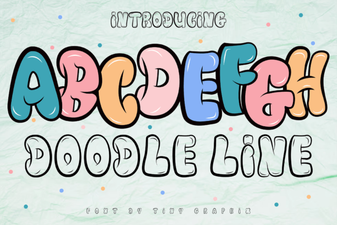 Creative Doodle Line Fonts for Diy Projects
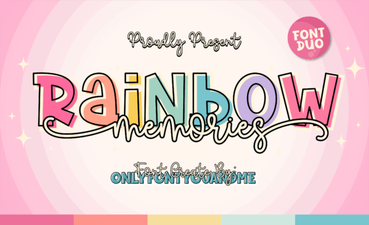 Rainbow Memories: a Font for Creative Projects
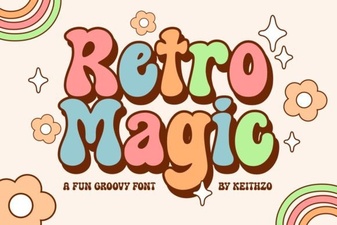 Retro Magic Fonts: Design Ideas & Creative Uses
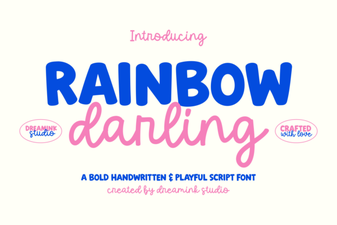 Rainbow Darling Duo: a Creative Font Pairing Guide