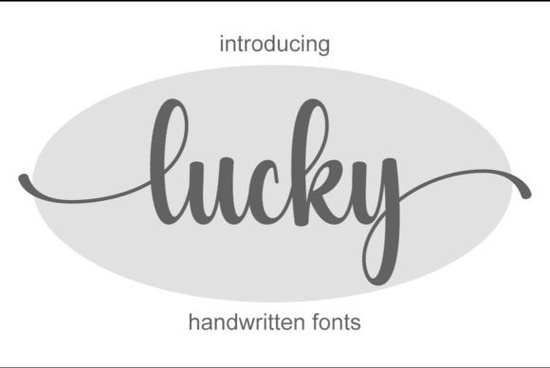
If you're looking for a graceful, hand-drawn script that feels personal but still polished, Lucky Font is worth your attention. It’s an elegant and delicate handwritten typeface designed for real-world use not just as a decorative flourish, but as a reliable tool across branding, print, and digital projects. Whether you're designing wedding stationery, crafting social media graphics for a small business, or building a cohesive product label series, Lucky offers warmth without sacrificing clarity.
What kind of projects does Lucky Font work well for?
Lucky shines where personality matters: logos with quiet confidence, boutique packaging, Instagram story text overlays, or even minimalist business cards. Its gentle curves and subtle contrast make it legible at medium sizes unlike some overly ornate scripts that blur when scaled down. Because it's PUA encoded, you get full access to alternate characters and stylistic glyphs right in your design app (no need for OpenType panels or complex workarounds). That means switching between swash capitals or adding a custom ligature takes just a few keystrokes.
It pairs naturally with clean sans-serifs for contrast, but also holds its own alongside other soft, organic fonts. If you like Lucky, you might also enjoy browsing our collection of casual handwriting fonts, which share that relaxed, human touch but with slightly more variation in weight and rhythm.
How does Lucky compare to other popular script fonts?
Unlike bolder display scripts meant for headlines only, Lucky balances delicacy and function. It’s not as playful as Letterland Font, nor as vibrant as the layered gradients in rainbow font options. It’s also quieter than festive picks like Christmas font collections making it versatile year-round instead of seasonal. And while it has charm, it avoids the stark minimalism of black sample font styles, which often prioritize geometry over flow.
You’ll notice Lucky doesn’t try to mimic calligraphy tools there’s no heavy ink bleed or exaggerated pressure variation. Instead, it captures the lightness of a fine nib pen moving smoothly across paper. That makes it especially useful for crafters who want elegance without fuss, or print-on-demand sellers who need consistent results across mugs, tote bags, and greeting cards.
Is Lucky Font easy to install and use?
Yes it comes as standard OTF and TTF files, compatible with Adobe Creative Cloud apps, Canva (via upload), Affinity Designer, Cricut Design Space, and most other design software. Once installed, it appears in your font menu like any system font. No plugins or special setup required. The PUA encoding means all alternates show up when you type specific keys so if you want a swash “Q”, for example, it’s just one character away, not buried in glyph panels.
Because it’s designed with practicality in mind, Lucky includes basic punctuation, numerals, and multilingual support for Western European languages. You won’t hit a wall mid-project because an accent mark is missing.
Who is Lucky Font best suited for?
- Small business owners creating their first brand identity especially service-based or lifestyle brands that value approachability.
- Wedding designers building invitation suites where tone and texture matter as much as typography.
- Print-on-demand sellers who need a script that scales cleanly on apparel, stickers, and home goods.
- Crafters and hobbyists making personalized gifts, scrapbook elements, or handmade labels.
- Social media creators posting quote graphics or product highlights without relying on image-based text.
If you're exploring similar styles, you might also like Lucky Font, Letterland Font, or Rainbow Font each offering something distinct depending on your project’s mood and audience.
One thing to keep in mind: Lucky works best when given space to breathe. Avoid cramming it into tight columns or pairing it with other highly textured fonts. Let it be the quiet voice in your layout not competing, but complementing.
Before downloading: Check your software version (especially older versions of CorelDRAW or Silhouette Studio) to confirm full PUA support. Most modern apps handle it without issue, but previewing a few alternates first helps avoid surprises later.
Try It Free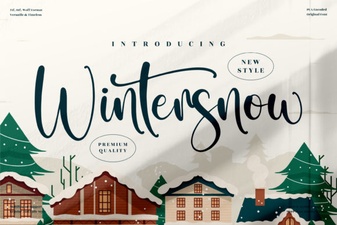 A Winter Snow Font for Seasonal Design Projects
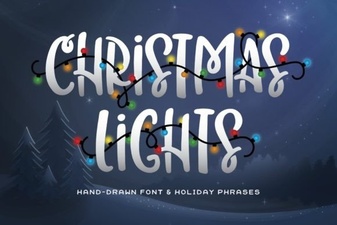 Creative Christmas Light Fonts for Festive Designs
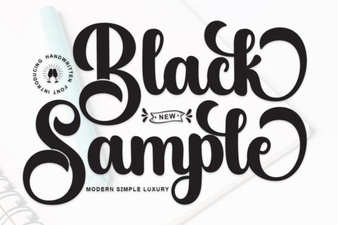 Black Sample Fonts for Creative Design Projects
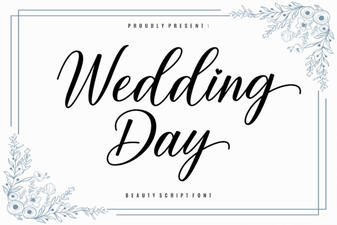 Creative Fonts for Your Wedding Day Design
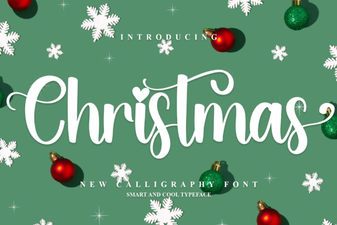 Festive Christmas Fonts for Holiday Design Projects
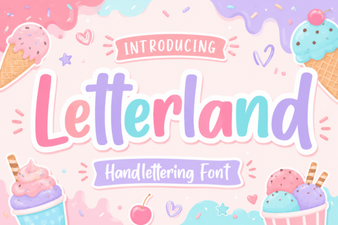 Craft Creative Projects with Letterland Font